Subscription or One-Time Licence: How Indian SMEs Should Pay for Software
Most business software today is sold as a monthly or yearly plan. Some is still sold as a one-time licence, and some companies get their own software built. This guide compares the three in plain words, so you can pick the model that suits your business for the next five years, not just this month.
Which is better for an Indian SME: a software subscription or a one-time license?
In the software subscription vs one-time license choice, a subscription costs less at the start and includes updates and hosting, while a one-time licence costs more upfront but can cost less over many years. Choose a subscription for standard needs and fast start. Choose a licence or owned custom software for stable, long-term, business-specific work.
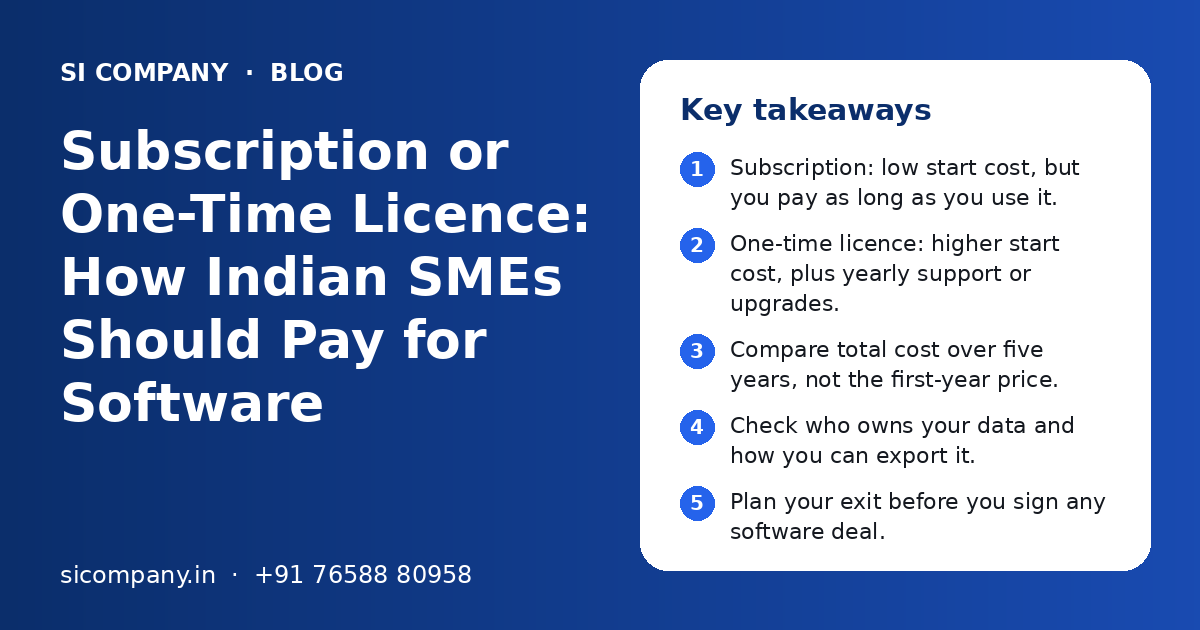
Key takeaways
- Subscription: low start cost, but you pay as long as you use it.
- One-time licence: higher start cost, plus yearly support or upgrades.
- Compare total cost over five years, not the first-year price.
- Check who owns your data and how you can export it.
- Plan your exit before you sign any software deal.
- Owned custom software suits unique processes and long-term use.
What is the difference between a software subscription and a one-time licence?
With a subscription, you pay every month or year for the right to use the software. With a one-time licence, you pay once and can use that version for as long as you like, usually on your own computer or server.
There is also a third path that many growing companies consider. You can get software built just for you and own it. You pay for the build and then for maintenance and hosting. This is closer to a one-time licence, but you own much more than a licence. Our page on custom software solutions explains how that works.
Software subscription vs one-time license: how do they compare side by side?
A subscription wins on start cost, speed and updates. A one-time licence or owned software wins on long-term control and on not paying forever. The table below shows the main points.
| Point | Subscription (SaaS) | One-time licence | Owned custom software |
|---|---|---|---|
| Start cost | Low | Medium to high | Highest |
| Ongoing cost | Fee every month or year | Optional support or upgrade fee | Maintenance and hosting |
| Time to start | Same day or a few days | Days, plus install | Weeks to months to build |
| Updates | Automatic, included | Paid upgrades or new version | You decide what and when |
| Hosting and backups | Done by vendor | Your computer or server | Your cloud or server, set up for you |
| Fit to your process | You adjust to the software | You adjust to the software | Software fits your process |
| Data control | Stored with vendor | Stored with you | Stored with you |
| If you stop paying | Access usually stops | Old version keeps working | Software keeps working |
| Best for | Standard needs, small teams, quick start | Stable desktop tools, few users | Unique processes, long-term core systems |
Which costs more over five years?
It depends on the number of users, how long you keep the software and the extra costs around it. A subscription often looks cheaper in year one and can cost more by year four or five, especially when users grow.
We do not give rupee figures here, because every product and plan is different. Instead, list these cost factors for each option and add them up over five years.
Cost factors for a subscription
- Plan fee per user, per branch or per company, monthly or yearly.
- Add-ons such as SMS, WhatsApp messages, extra storage or e-invoice modules.
- Yearly price revisions by the vendor.
- Setup, data import and training, if the vendor charges for them.
Cost factors for a one-time licence
- The licence price, often per computer or per user.
- Yearly support or upgrade plan, if you want new versions.
- Computer or server hardware to run it, and its upkeep.
- Backup system, antivirus and power backup.
Cost factors for owned custom software
- Build cost, which depends on modules, screens, integrations and mobile apps.
- Cloud hosting and domain.
- Yearly maintenance and small changes. See our software maintenance and support page.
- No per-user fee in most cases, so adding staff costs very little.
How do updates and support differ?
Subscriptions include updates and usually basic support in the fee. One-time licences often need a separate yearly plan for updates and support. With owned software, updates happen when you ask for them.
But automatic updates also have a downside. A screen your staff knows well can change overnight. A feature you use can be moved to a higher plan. You cannot say "no" to an update.
With a one-time licence, the version you bought stays the same. This is stable, but it can fall behind. If the vendor stops support for an old version, you may have to buy the new one.
With owned custom software, you control the change list. You also need a partner who can make changes quickly. That is why a clear support agreement matters.
- Ask if old features can be moved to a higher plan.
- Ask for support hours, channels (phone, email, WhatsApp) and response times in writing.
- For licences, ask how long each version gets security fixes.
- For custom software, agree on a monthly or yearly maintenance scope.
Who owns your data in each model?
Your business data should always belong to you, but where it lives and how easily you can take it out is different in each model. Check this before you sign, not when you want to leave.
With a subscription, your data sits on the vendor's servers. Most good vendors let you export it, but the format matters. A full export of customers, invoices, stock and history in Excel or CSV is useful. A PDF report is not.
With a one-time licence, data is on your own computer or server. You hold it, but it may be stored in a format that only that software can read. Backups are your job.
With owned custom software, the database is yours. You can also hold the source code, cloud accounts and domain in your own name. We explain this on our cloud solutions page.
Questions to ask about data
- Can I export all my data at any time, without extra charges?
- In which formats can I export: Excel, CSV, or a full database backup?
- Where are the servers located, and who can access my data?
- How often are backups taken, and can I get a copy?
How do GST invoices and accounts work for each option?
In all three cases, ask for a proper GST tax invoice in your company name with your GSTIN, so your accountant can check if input tax credit is available. The difference is in how often the bills come and how they are booked.
A subscription gives you a bill every month or every year. That is many small bills to track. Some foreign vendors bill in dollars, which adds currency changes and may need extra checks by your CA.
How each of these is shown in your books, as an expense or as an asset, is a question for your CA. Ask them before you choose, because it can affect how the cost looks in your accounts.
What is vendor lock-in and how do you plan your exit?
Vendor lock-in means it becomes very hard or costly to move away from a product. Plan your exit on day one, so you can switch later if prices rise, service drops or your needs change.
Ways to reduce lock-in
- Choose products that offer full data export
- Keep a monthly export of key data
- Use open connections (APIs) for links to other tools
- Keep contracts short until you trust the vendor
- For custom work, hold source code and accounts in your name
Signs of strong lock-in
- Export only gives partial data or PDFs
- Extra fees to export or close the account
- Long contracts with auto-renewal at new prices
- Key reports or features only on top plans
- No API, so other tools cannot connect
If you are already stuck in an old system, moving out is possible. It needs careful planning. Our data migration services page shows the usual steps, and legacy software modernization covers replacing old desktop tools.
When does owning custom software make more sense than a subscription?
Owned software makes sense when your process is a key part of how you win business, when you have many users, or when you are paying for several subscriptions that do not talk to each other.
- Your staff keep side sheets because the software cannot handle your rules.
- You pay for three or more tools that do parts of one job.
- The per-user fee keeps rising as your team grows.
- You need special pricing, approvals or reports that no plan offers.
- You want dealers, field staff or customers to log in to your own portal.
- You plan to use the system for many years.
If several of these are true, a custom system such as an ERP for small business or a custom CRM can be a better long-term fit. It can still connect to the subscriptions you like, such as accounting or email tools, through API integration.
On the other hand, do not build what you can rent cheaply. Email, office tools and standard accounting are usually better on a subscription. Build only the part that is special to your business.
How do you decide between a subscription and a one-time licence?
Start from your needs and a five-year view, not from the price of the first month. Then compare two or three options on the same points.
- 1
Write down your needs
List the work the software must do, the number of users today and in three years, and the must-have features. Our software requirements checklist can help.
- 2
Shortlist options
Pick one or two subscription products, a licence product if one exists, and get a rough plan for custom software if your needs are special.
- 3
Work out five-year cost
Use the cost factors above. Include users growth, add-ons, hardware, support and staff time.
- 4
Check data and exit
Confirm full data export, backup copies and contract terms for leaving.
- 5
Check GST and contracts
Make sure bills will be proper GST invoices and ask your CA how to book the cost.
- 6
Run a trial
Use a free trial or a demo with your real data and real staff. Watch where people get stuck.
- 7
Decide and review yearly
Pick one, then review cost and fit once a year. Switch early if it stops working.
If you are not sure, a short talk with an independent adviser can help. Our technology consulting team can compare options with you. Powered by Shivah Web Tech, with 11+ years of work and 500+ projects, we build custom software and also help clients choose ready-made tools when they fit better. You get a clear quote after a free call.
Related Pages
Software Solutions
Custom software built around your business process.
SaaS Development
Build and launch your own software product with subscriptions.
Maintenance & Support
Monthly bug fixes, updates, backups and help for your software.
Technology Consulting
Honest advice on which technology to buy, build or skip.
Frequently Asked Questions
Is a software subscription cheaper than buying a licence?
A subscription is usually cheaper in the first year because you pay a small amount each month. Over many years it can cost more, especially when users grow or prices rise. A one-time licence costs more at the start but may cost less over five years. Add up all costs for each option over the same period before you decide.
What happens to my data if I stop paying for SaaS software?
Most SaaS vendors stop your access when you stop paying. Some keep your data for a short time so you can export it, then delete it. Rules differ for each vendor, so read the terms before you sign. The safest habit is to export your key data every month and keep a copy in your own storage.
Do I get updates with a one-time licence?
Often you get updates only for a limited time or only for that version. New versions and long-term updates usually need a yearly support plan or a new purchase. Ask the vendor how long your version will get security fixes and what it costs to move to the next version when support ends.
Can I claim GST input tax credit on software subscriptions?
Software subscriptions and licences bought for business use usually come with GST tax invoices, and input tax credit may be available if all GST conditions are met. Make sure the invoice has your company name and GSTIN. Your CA should confirm eligibility for your case, especially for bills from foreign vendors.
Is custom software better than a SaaS subscription for a small business?
Not always. For standard needs like email, office tools or simple accounting, a subscription is usually the smarter choice. Custom software is better when your process is unique, you have many users, or you are paying for several tools that do not work together. Many businesses use both: subscriptions for standard work and custom software for their core process.
How can I avoid vendor lock-in with SaaS?
Choose products that allow full data export in Excel or CSV, and keep monthly exports. Prefer tools with open APIs so other systems can connect. Avoid long contracts until you trust the vendor, and read the renewal and exit terms. For custom software, make sure the source code, cloud account and domain are in your company name.
Who owns the source code of custom software?
It depends on your contract. Many companies agree that the client owns the source code once all payments are made. Some vendors keep ownership and only give a licence to use it. Always ask for this in writing before the project starts, along with access to the code repository and hosting accounts.
Talk to our team today
Call or WhatsApp +91 76588 80958. We reply fast, Monday to Friday.