Quick answer
What is warehouse management software for small business, and who needs it?
Warehouse management software for small business tracks where each item sits inside your godown, down to the rack and bin. It guides staff through receiving, put-away, picking, packing and dispatch with barcode scans. Distributors, wholesalers and D2C sellers with their own godown use it to ship faster, make fewer mistakes and trust their stock numbers.
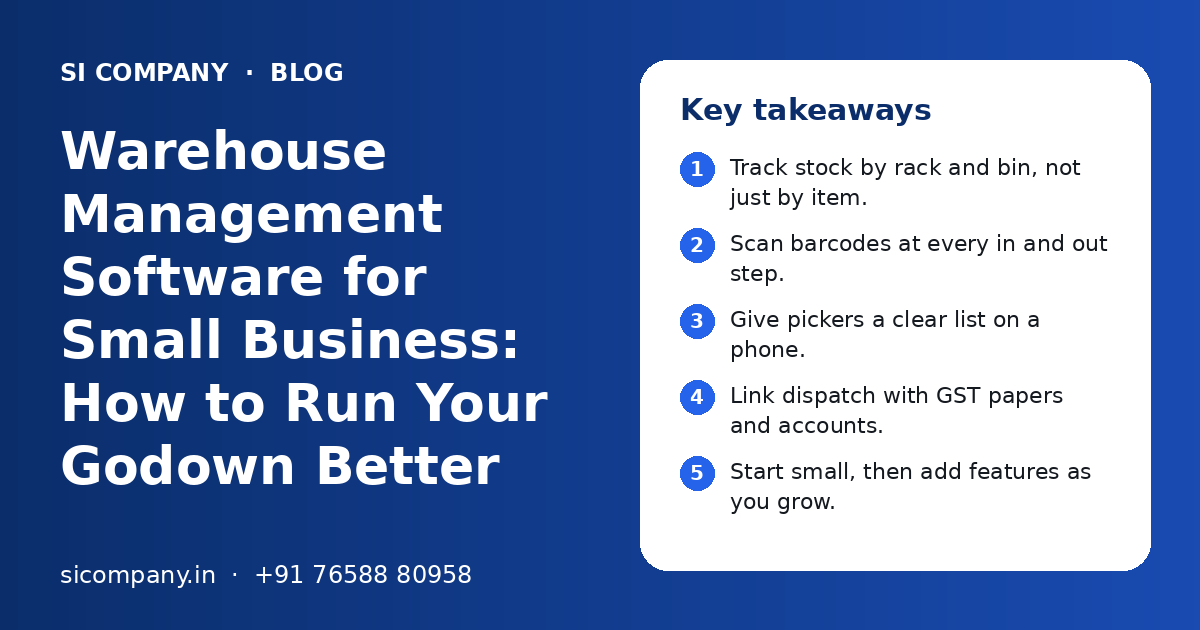
Key takeaways
- Track stock by rack and bin, not just by item.
- Scan barcodes at every in and out step.
- Give pickers a clear list on a phone.
- Link dispatch with GST papers and accounts.
- Start small, then add features as you grow.
- Count stock often, not just once a year.
What is warehouse management software for small business?
Warehouse management software for small business is a system that tells you where each item is inside your godown and guides staff through every stock movement. It answers two questions: how much do we have, and exactly where is it?
Many small businesses already use billing or inventory management software. That software knows you have 120 boxes of an item. It often does not know that 80 boxes are on rack B-3 and 40 are in the back room. Warehouse software adds this missing layer of location and process.
Inventory software vs warehouse software
| Point | Inventory software | Warehouse software |
|---|---|---|
| Main question | How much stock do we have? | Where is it, and who moves it? |
| Level of detail | Item and godown | Item, zone, rack and bin |
| Daily users | Accounts and purchase team | Godown staff, pickers and packers |
| Main work | Stock value, reorder, reports | Receiving, put-away, picking, dispatch |
| Typical device | Desktop or laptop | Phone or handheld barcode scanner |
In a small business, both jobs can live in one system. If your stock count is right but staff waste time searching, you need warehouse features.
Who needs warehouse software in a small business?
Any business that keeps stock in its own godown and ships many orders a day can gain from warehouse software. It matters most when items are many, staff are new or orders must leave the same day.
Distributors
Many SKUs, many retailers, and daily beat orders that must be picked and loaded on time.
Wholesalers
Bulk stock in cartons and loose units, with frequent part-carton sales and returns.
D2C sellers
Many small orders from a website and marketplaces, each needing the right item, label and courier.
Small manufacturers
Raw material, packing material and finished goods stored in different areas of one site.
Signs your godown needs a system
- Only one or two senior staff know where things are kept.
- Wrong items or wrong quantities go out in orders.
- Stock shows in the system but nobody can find it.
- Returns pile up in a corner and are not added back to stock.
- Dispatch gets late every time a marketplace sale starts.
Which features should warehouse management software have?
The core features are bin locations, barcode scanning, stock in and stock out, guided picking, packing checks and dispatch records. Extra features like batch and expiry tracking depend on what you sell.
Bin locations
Each place in the godown gets a short code, such as zone A, rack 2, shelf 3, bin 4. The software stores which item sits in which bin and how many units are there. When a picker needs an item, the screen shows the exact bin. New staff can work from day one without asking around.
Barcode and QR scanning
Staff scan the item barcode and the bin label at each step. The software checks that the right item went to the right place. Most items already carry a barcode from the brand. For items without one, the software can print your own labels. A normal Android phone with a camera can work as a scanner for a small team, and handheld scanners help when volume is high.
Stock in, stock out and transfers
Every movement is recorded: goods received against a purchase order, moved between bins, sent to another godown, picked for sale, returned or marked as damaged. Each entry has a date, user and reason.
Picking, packing and dispatch
The software groups orders into a pick list sorted by bin, so the picker walks one clean route. At packing, staff scan each item against the order to catch mistakes. At dispatch, the system records the vehicle or courier and the time the goods left.
- Bin, rack and zone setup with printable labels
- Barcode scanning on phone or handheld scanner
- Goods receipt against purchase orders
- Put-away suggestions for where to store new stock
- Pick lists sorted by bin route
- Packing check by scan before the box is sealed
- Batch, expiry or serial number tracking if needed
- Returns handling with a check for good or damaged stock
- Cycle counts by zone or bin
- Role-based access so each user sees only their work
How does warehouse software connect with GST, Tally and marketplaces?
Good warehouse software does not work alone. It shares data with your accounting software, your GST paperwork and your online sales channels, so staff do not type the same order twice.
GST e-way bill and e-invoice
When goods leave your godown, GST rules may need an e-way bill for the movement and, for businesses that fall under the e-invoice rules, an e-invoice for the sale. The warehouse system can pass dispatch details like items, quantity, value and vehicle number to your billing or accounts software. That software then creates the papers through the official GST systems. This saves time and cuts typing errors. Your CA should confirm which rules apply to your business.
Tally and other accounting software
Many Indian businesses keep their books in Tally or a similar tool. The warehouse system can send receipts, sales and stock changes to the accounts side, so both show the same numbers. Our billing software development and ERP for small business work often includes this link.
Marketplaces and your own website
D2C sellers may sell on their own site and on one or more marketplaces. The warehouse system can pull orders from these channels and send back stock levels, so you do not sell an item you do not have. These links are built through API integration, using the access each platform allows.
Need help with your project?
Talk to the SI Company team. Free first call, simple advice, clear quote.
Ready-made or custom warehouse software: which is better?
Ready-made software is better when your godown work is simple and standard. Custom software is better when your process, product types or integrations do not fit a fixed product, or when you want to own the system.
| Point | Ready-made WMS | Custom WMS |
|---|---|---|
| Start time | Quick to begin | Takes time to plan and build |
| Fit with your process | You adjust to the software | Software follows your process |
| Integrations | Only the ones the product offers | Built for your tools and channels |
| Payment model | Usually a monthly or yearly fee | Build cost, then support |
| Changes later | Depend on the vendor's plans | Added when you need them |
| Ownership | You rent access | You can own the code and data |
Choose ready-made if
- You have one small godown and simple items
- Your channels are already supported by the product
- You want to test the idea before a bigger plan
Choose custom if
- You sell in cartons, loose units and mixed packs
- You need links with your own billing, ERP or dealer app
- You have many godowns or special steps like kitting
Some businesses start with a ready-made tool and later move to a custom one. If you do, plan the move with care so your item list, bins and stock history come across cleanly. Our data migration services team handles this kind of move.
How do you set up warehouse software, step by step?
Set up warehouse software by first fixing the godown layout and item list, then labelling bins, loading opening stock, training staff and going live in stages. A clean start matters more than many features.
- 1
Map your current process
Walk the godown and write down how goods come in, where they go, how orders are picked and how they leave. Note where delays and mistakes happen.
- 2
Clean the item master
Remove duplicate items, fix names and units, and give each item one code. Note which items need batch, expiry or serial tracking.
- 3
Plan zones and bins
Divide the godown into zones and give each rack, shelf and bin a simple code. Keep fast-moving items close to the packing area.
- 4
Print and fix labels
Stick barcode labels on every bin and on items that do not have their own barcode.
- 5
Count and load opening stock
Do a full physical count bin by bin, and load these numbers as your starting stock.
- 6
Connect accounts and channels
Link the system with your billing, Tally and online sales channels, and test with a few sample orders.
- 7
Train staff on their phones
Teach each role only the screens they need. Use short videos or guides in Hindi, Punjabi or the language your staff prefer.
- 8
Go live in stages
Start with receiving and picking for one zone or one channel. Add the rest once the team is comfortable.
A simple mobile app for godown staff often makes the biggest difference.
What mistakes should you avoid with warehouse software?
The most common mistakes are starting with dirty data, skipping bin labels, and buying features the team will not use. Most problems come from the setup, not from the software.
- Loading old stock numbers without a fresh physical count.
- Keeping the same item under two or three names.
- Labelling racks but not the bins inside them.
- Letting staff skip scans when they are in a hurry.
- Not planning for returns, damaged goods and part cartons.
- Choosing a system that has no link with your accounts.
- Training only the manager and not the pickers and packers.
- Counting stock only once a year instead of small counts every week.
What affects the cost of warehouse management software?
Cost depends on the number of godowns, users and items, the features you need, the devices you use and the number of integrations. You get a clear quote after a free call, once we understand your godown.
| Cost factor | Why it matters |
|---|---|
| Number of godowns and zones | More sites mean more setup, transfers and testing. |
| Number of users and roles | More roles need more screens and access rules. |
| Item types | Batch, expiry, serial numbers and loose units add logic. |
| Devices | Phone app, handheld scanners and label printers each need setup. |
| Integrations | Each link with Tally, billing, ERP or a marketplace adds work. |
| Reports and dashboards | Custom reports for owners and managers take extra effort. |
| Data migration | Moving old items and stock from sheets or another tool needs care. |
| Support after launch | Updates, fixes and new features over time. |
To keep cost in control, start with the steps that hurt most today, such as picking errors. Add the rest in later phases.
How can SI Company help with your godown software?
SI Company plans and builds warehouse software that fits the way your godown already works, and links it with your billing, accounts and sales channels. We start with a free call to understand your process.
SI Company is powered by Shivah Web Tech, which has 11+ years of work, a 25+ member in-house team and 500+ projects. Our team works from Mohali, Punjab, and serves businesses across India. We can build a new system, add warehouse features to your current software solution, or connect a ready-made tool with your other systems.
Support hours are Monday to Friday, 9:30 to 6:30 IST, with 24x7 emergency support for urgent issues. Contact us to talk about your godown and get a clear quote.
Frequently Asked Questions
What is the difference between inventory software and warehouse management software?
Inventory software tracks how much stock you have, its value and when to reorder. Warehouse management software goes one level deeper. It tracks where each item sits inside the godown, down to the rack and bin, and guides staff through receiving, picking, packing and dispatch. Many small businesses use one system that does both jobs.
Is warehouse management software worth it for a small business?
It is worth it when you have many items, ship many orders a day or depend on one or two people to find stock. The software reduces wrong dispatches, saves search time and makes stock counts easier. If you have very few items and a small store room, a good inventory system may be enough for now.
Can I use a mobile phone instead of a barcode scanner in my godown?
Yes. A normal Android phone with a camera can scan barcodes and QR codes through a warehouse app. This works well for small teams and moderate volume. When scanning volume grows, handheld scanners are faster and more durable. Many businesses start with phones and add scanners later for the busiest roles.
Can warehouse software create e-way bills and e-invoices?
Warehouse software usually does not create these papers on its own. It passes dispatch details such as items, value and vehicle number to your billing or accounts software, which then creates them through the official GST systems. Ask your CA which rules apply to your business, and make sure your software link supports them.
Will warehouse software work with Tally?
It can, if the link is planned. The warehouse system can send purchase receipts, sales and stock changes to Tally, so both show the same numbers. The exact method depends on your Tally setup and the data you want to share. Test the link with sample entries before you go live.
How long does it take to set up warehouse software in a small godown?
It depends on the number of items, bins and integrations, and on how clean your current data is. The physical work, such as counting stock and labelling bins, often takes as much time as the software setup. Going live in stages, one zone or one channel at a time, makes the change smoother.