Quick answer
What is garage management software and how does it help a workshop?
Garage management software is a system that runs the daily work of a car or bike workshop. It creates digital job cards, tracks each vehicle from arrival to delivery, manages spare parts stock, raises GST bills and sends service reminders. Owners see pending jobs, mechanic workload and dues in one place instead of paper registers.
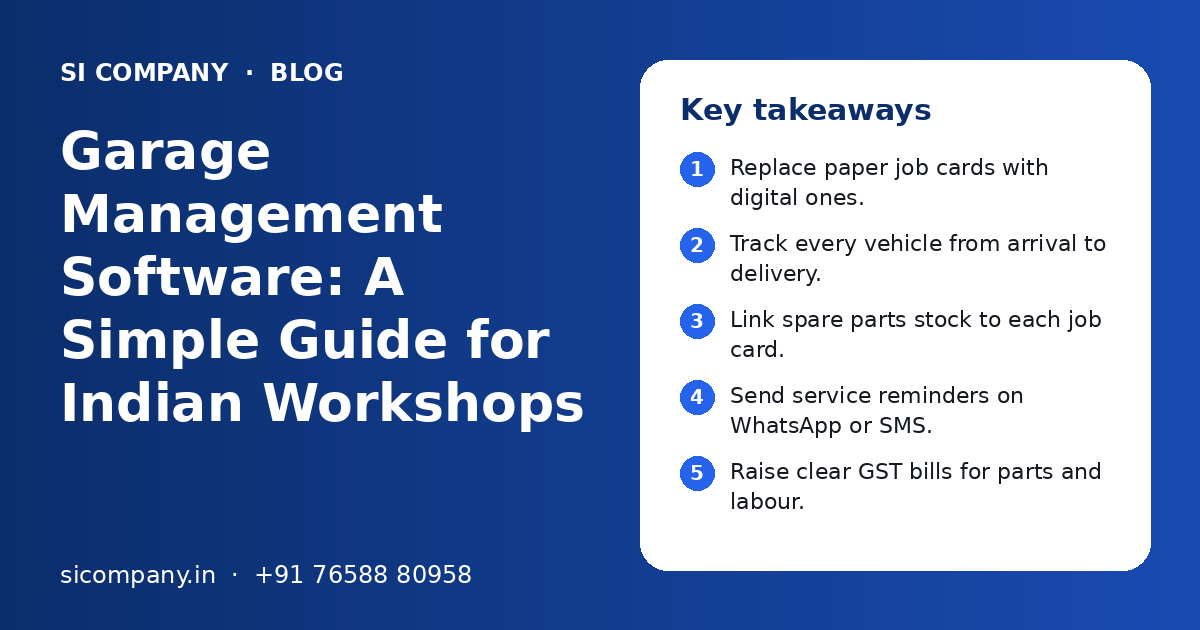
Key takeaways
- Replace paper job cards with digital ones.
- Track every vehicle from arrival to delivery.
- Link spare parts stock to each job card.
- Send service reminders on WhatsApp or SMS.
- Raise clear GST bills for parts and labour.
- Start with job cards, then add stock and reports.
What is garage management software?
Garage management software is an online system for car and bike workshops. It records every vehicle that comes in, the work done on it, the parts used, the bill and the next service date.
Many Indian workshops still use a paper job card, a parts register and a notebook for dues. This works when the workshop is small. As the number of vehicles grows, papers get lost, estimates change without notes and nobody knows which car is waiting for which part.
Who needs garage software
- Multi-brand car service centres and body shops
- Two-wheeler service workshops
- Tyre, battery and wheel alignment shops
- Commercial vehicle and tractor workshops
- Detailing and car care studios
- Owners running more than one workshop branch
What features should garage management software have?
Good garage management software should cover job cards, estimates, spare parts, billing, customer history and service reminders. Reports and a mechanic view come next.
| Feature | What it does | Problem it solves |
|---|---|---|
| Digital job card | Records vehicle, complaints, work and photos at check-in | Lost papers and disputes about the car's condition |
| Estimate and approval | Sends a cost estimate to the customer for a yes or no | Customers upset by a higher final bill |
| Spare parts stock | Tracks parts in, parts issued to jobs and reorder levels | Missing parts and stock that never matches |
| GST billing | Bills parts and labour, takes UPI, card or cash | Slow, handwritten bills and wrong totals |
| Vehicle history | Shows all past jobs by vehicle number | No record of what was done last time |
| Service reminders | Messages customers when the next service is due | Customers forgetting and going elsewhere |
| Owner dashboard | Shows jobs in progress, delays, sales and dues | Owner has to ask staff for every update |
You do not need every feature on day one. Most workshops get the most value first from job cards and vehicle history, because that is where daily confusion starts.
How does a vehicle move through the workshop in the software?
Each vehicle moves through clear stages, from check-in to delivery. Every stage is recorded with time and staff name, so you always know where a car stands.
- 1
Check-in
The service advisor enters the vehicle number, odometer reading, fuel level and complaints, and takes a few photos of dents and scratches.
- 2
Inspection and estimate
The mechanic checks the vehicle and adds the work and parts needed. The software builds an estimate.
- 3
Customer approval
The estimate goes to the customer on WhatsApp or SMS. The customer approves, or the advisor records approval on a call.
- 4
Work in progress
The job is assigned to a mechanic. Parts are issued from stock against the job card.
- 5
Quality check
A senior mechanic or supervisor checks the work and marks the job ready.
- 6
Billing and delivery
The bill is raised, payment is taken by UPI, card or cash, and the customer gets a message that the vehicle is ready.
If extra work is found during repair, the advisor adds it to the job card and asks for approval again. This one habit prevents many billing disputes.
How should a workshop manage spare parts stock?
Manage spare parts by linking every part issue to a job card. Parts should only leave the store against a job, so stock in the software matches stock on the shelf.
Spare parts are often the biggest money a workshop has locked up. Small items like filters, bulbs and oil are used every day. Costly parts are ordered only when needed. Both need tracking, but in different ways.
- Give each part a code, with brand and vehicle model fitment
- Record every purchase with the supplier bill
- Issue parts only against an open job card
- Take back unused parts into stock with a note
- Set reorder levels for fast-moving items like oil and filters
- Track parts ordered for a specific customer separately
- Count stock on a regular schedule and record differences
A barcode or QR label on shelves makes issue and counting faster. Our inventory management software page explains stock tracking in more detail, including many godowns and reorder planning.
How does billing work for parts and labour?
The software builds the bill from the job card. Parts and labour appear as separate lines, with the right GST on each, so the bill is correct and quick to make.
Parts and labour can carry different GST rates, and rates can change. Your CA should confirm the rates and HSN or SAC codes to set up. The software then applies them automatically on every bill.
- Separate lines for parts, labour, consumables and outside work
- Discounts shown clearly, with a reason and the name of who approved it
- Payments by UPI, card, cash or bank transfer recorded against the bill
- Part payments and dues tracked for fleet and business customers
- Bills shared on WhatsApp or email as a PDF
- Daily sales and collection summary for the owner
If you already use accounting software, the garage system can send bills and payments to it so your accountant does not type them again. Our billing software development team builds these billing flows and links.
Need help with your project?
Talk to the SI Company team. Free first call, simple advice, clear quote.
How can garage software bring customers back for service?
Garage software brings customers back by sending timely service reminders and keeping a full vehicle history. A customer who gets a reminder from you is less likely to try another workshop.
The software knows the last service date and odometer reading. It can work out the next due date and send a reminder a few days before. The same idea works for insurance renewal reminders, tyre changes and battery checks, if you offer these.
Messages customers find useful
- Estimate ready for approval, with a simple yes or no reply
- Vehicle ready for pickup, with the bill amount
- Next service due soon, with a link to book a slot
- A short feedback request after delivery
Keep messages short and useful. Too many messages make customers block you. A simple CRM solution helps you group customers, see who has not visited for a long time and plan follow-ups.
Paper registers vs garage management software: which is better?
Paper registers are fine for a very small workshop with few vehicles a day. Once you have several mechanics, a parts store and regular customers, software saves time and reduces mistakes.
| Area | Paper and WhatsApp | Garage software |
|---|---|---|
| Job status | Ask the mechanic or check the board | Seen on screen by advisor and owner |
| Vehicle history | Search old registers by date | Search by vehicle number in seconds |
| Estimates | Told on phone, often not written | Sent in writing and approved |
| Parts stock | Counted by hand, often wrong | Updated with each purchase and issue |
| Bills | Handwritten or typed again | Made from the job card |
| Reminders | Rarely sent | Sent automatically |
The change is not only about software. It also means the team agrees to enter data at each step. Plan short training and keep the process simple at the start.
Ready-made or custom garage software: which should you choose?
Choose ready-made garage software if your workshop follows a standard process. Choose custom software if you run several branches, handle fleet or insurance work, or need links to other tools.
Ready-made garage software
- Quick to start
- Lower upfront effort
- Vendor handles updates
- Fits standard car and bike service work
Custom garage software
- Built around your exact process
- Handles branches, fleet accounts and insurance claims your way
- Links to accounting, WhatsApp and your website
- Needs more time to plan, build and test
A middle path also works. Keep a ready-made tool and add a custom owner dashboard or a customer booking app on top. Our custom dashboard development and mobile app development services can help with this. For a full custom build, see our custom software solutions page.
How do you set up garage software, step by step?
Set up in phases. Start with job cards and vehicle history, train the team, then add parts stock, billing links, reminders and reports.
- Write down how a vehicle moves through your workshop today, step by step.
- List your parts with codes, and count the current stock once.
- Collect customer and vehicle data from old registers and phone contacts.
- Start with digital job cards for all new vehicles from a fixed date.
- Give advisors and mechanics a phone or tablet view that is easy to use.
- Add parts issue and billing once job cards are used every day.
- Turn on reminders and the owner dashboard last.
Our data migration services can move old Excel sheets and customer lists into the new system safely. Our post on moving from Excel to business software also explains how to plan the switch.
What mistakes should workshops avoid, and what affects cost?
The common mistakes are skipping training, letting parts leave without a job card and trying to start every module at once. Cost depends mainly on modules, branches, users and links to other tools.
Mistakes to avoid
- Choosing software only from a demo, without testing your own job flow
- Allowing parts to be taken without a job card entry
- Giving every staff member access to discounts and bill edits
- Not taking check-in photos, then arguing over old dents
- Sending too many promotional messages to customers
- Having no support plan after go-live
What affects the cost
- Ready-made subscription, custom build or a mix of both
- Modules needed, such as job cards, stock, billing, CRM and reports
- Number of branches, advisors and mechanics using it
- Links to accounting, WhatsApp, payment gateway or a website
- Amount of old data to clean and move
- Hosting, backups and ongoing support
We do not share fixed prices here. You get a clear quote after a free call. SI Company is powered by Shivah Web Tech, with 11+ years of experience, a 25+ member in-house team and 500+ projects. Our software maintenance and support plans keep the system running after launch. Contact us to talk about your workshop.
Frequently Asked Questions
What is the difference between garage software and normal billing software?
Normal billing software only makes bills. Garage software also opens job cards, records complaints and check-in photos, sends estimates for approval, issues parts against each job, tracks mechanic work and keeps the full history of each vehicle. The bill is built from the job card, so nothing used on the vehicle is missed.
Is garage management software worth it for a small workshop?
It is worth it once you have a few mechanics, a parts store and regular customers. Even a small workshop gains from vehicle history and service reminders, because repeat customers are the base of the business. A very small shop can start with only digital job cards and billing, and add more later.
Can mechanics use garage software on a mobile phone?
Yes. A good system gives mechanics a simple mobile view. They see the jobs assigned to them, add findings and photos, request parts and mark work as done. Screens should use large buttons and few fields, because mechanics work with busy hands and may not want to type much.
Can garage software send service reminders on WhatsApp?
Yes. The software can send reminders through the WhatsApp Business API or SMS when a vehicle is due for service. It uses the last service date and odometer reading to work out when to remind. Messages should be short, useful and limited, so customers do not feel spammed.
Can the software handle insurance claim jobs?
It can, if it is set up for this. An insurance job usually needs the claim number, insurer details, surveyor visit notes, photos, an approved estimate and a split between what the insurer pays and what the customer pays. Custom software can track these steps clearly for each claim.
How do I move old customer records into garage software?
First collect data from registers, Excel sheets and phone contacts. Clean it by removing duplicates and fixing vehicle numbers and phone numbers. Then import a small test batch, check it and import the rest. Many workshops also add history gradually, as each customer comes back for service.
Can one system manage more than one workshop branch?
Yes. Multi-branch garage software keeps separate job cards, stock and staff for each branch, while the owner sees all branches on one dashboard. Parts can be moved between branches with a transfer entry. Customer history can be shared, so a vehicle serviced at one branch is known at another.
How long does it take to start using garage software?
A ready-made tool with clean data can start quickly. A custom system takes longer, because it must be planned, built and tested with your team. Training and data cleaning often take more time than people expect. Starting with job cards first and adding other modules in phases makes the change smoother.