Quick answer
What is hotel management software and does a small hotel need it?
Hotel management software for small hotels keeps bookings, room status, housekeeping, guest details, GST billing and payments in one system. It shows which rooms are free, clean or occupied, sends WhatsApp confirmations and gives the owner simple daily reports. A small hotel, guest house or homestay can start with bookings and billing, then add more later.
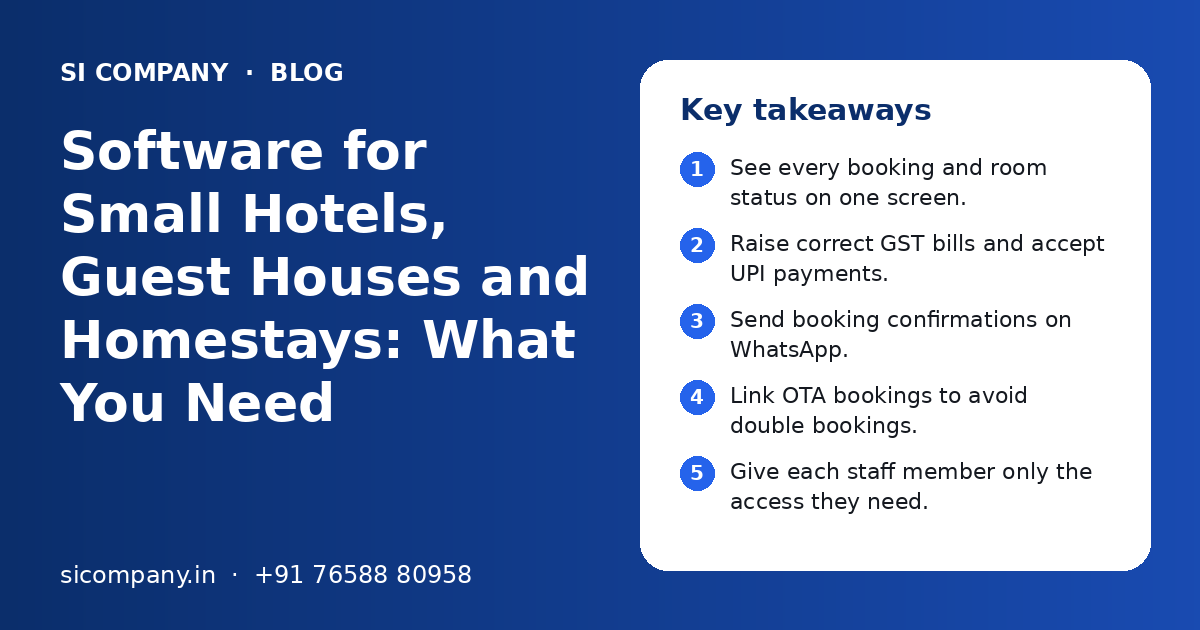
Key takeaways
- See every booking and room status on one screen.
- Raise correct GST bills and accept UPI payments.
- Send booking confirmations on WhatsApp.
- Link OTA bookings to avoid double bookings.
- Give each staff member only the access they need.
- Start small, then add modules as you grow.
What is hotel management software for small hotels?
Hotel management software for small hotels is one system that runs the daily work of a property: bookings, check-in, rooms, housekeeping, billing and reports. It replaces the register, loose sheets and scattered chats.
In the hotel trade, the core system is often called a PMS, or property management system. Large hotels use big PMS tools with many modules. A small hotel, guest house or homestay needs a simpler version that staff can learn in a day.
The goal is simple. Everyone at the property sees the same, correct picture, and the owner can check it from anywhere.
SI Company builds and sets up business software for Indian companies, including tools for hotels, guest houses and homestays.
What features should small hotel software include?
Small hotel software should cover bookings, front desk, room status, housekeeping, GST billing, payments, guest messages and reports. Extra modules like a restaurant or OTA link can come later.
| Feature | What it does | Problem it solves |
|---|---|---|
| Booking calendar | Shows all rooms and dates on one screen | Double bookings and missed bookings |
| Front desk check-in | Records guest details and ID proof at arrival | Slow check-in and lost guest records |
| Room status | Marks rooms as free, occupied, dirty, clean or blocked | Guests sent to rooms that are not ready |
| Housekeeping list | Gives cleaning staff a daily room list | Rooms missed or cleaned late |
| GST billing | Raises invoices with room charges, extras and tax | Wrong bills and manual tax errors |
| Payments | Records cash, card and UPI, and tracks advances | Unpaid balances at checkout |
| WhatsApp and SMS | Sends confirmations, directions and reminders | Many calls asking for booking details |
| Reports | Shows occupancy, sales and dues by day or month | Owner has no clear daily picture |
Some properties also want restaurant billing, package rates or a direct booking page. Pick the features you will use every day. A small property does not need every module a large hotel chain uses.
How do bookings, front desk and room status work together?
They share one calendar. A booking blocks the room, check-in marks it occupied, checkout marks it dirty, and housekeeping marks it clean and ready again.
- 1
Booking comes in
From a phone call, walk-in, your website or an OTA. The room is blocked for those dates.
- 2
Confirmation goes out
The guest gets a WhatsApp or email message with dates, amount and directions.
- 3
Guest checks in
The front desk records guest details and ID, collects any balance, and the room shows as occupied.
- 4
Extras are added
Food, laundry or extra bed charges are added to the room bill during the stay.
- 5
Guest checks out
The system makes the final GST bill, records payment, and the room shows as dirty.
- 6
Room is cleaned
Housekeeping marks the room clean, and it is ready to sell again.
Guest ID details are sensitive. Store them in the system with limited access, not as photos on a staff member's phone. Follow local police and government rules for guest records that apply to your area.
How does GST billing, UPI and WhatsApp work in hotel software?
The software adds room charges, extras and GST to make a correct invoice, records UPI or other payments, and can share the bill and a payment link on WhatsApp.
GST billing
GST on hotel rooms depends on the room tariff, and rates can change when the GST Council updates them. Good software lets you set tax rules once and update them later, without changing every bill by hand. Each invoice should show your GSTIN, the guest or company details, the charges and the tax. Ask your CA to confirm the rates and invoice format for your property.
Corporate guests often need a bill in the company name with the company GSTIN. The software should let the front desk add this at check-in, not at the last minute.
UPI and other payments
Most Indian guests are happy to pay by UPI. The software can show a UPI QR code or send a payment link. When a payment gateway is connected, the payment can be marked paid on its own. Our billing software development work covers GST invoices, UPI links and payment tracking.
WhatsApp messages
WhatsApp is how most guests in India like to talk. Software can send booking confirmations, location pins, check-in times and the final bill. For automatic messages at scale, the WhatsApp Business API is used, with message templates approved by WhatsApp. Messages should be useful and expected by the guest, not spam.
What is a channel manager and does a small hotel need one?
A channel manager is a tool that keeps your room availability and rates in sync across online travel agencies (OTAs) and your own system. A small hotel needs one when it sells rooms on more than one OTA.
OTAs are the booking websites and apps where travellers find and book rooms. If you list on two or three of them and also take phone bookings, the same room can be sold twice. A channel manager reduces this risk. When a room is booked on one channel, it updates the count on the others.
| Setup | How it works | Good for |
|---|---|---|
| No OTA link | Staff update each OTA extranet by hand | Very small homestays with one or no OTA |
| Ready-made channel manager | A separate tool links OTAs and your PMS | Most small hotels listed on several OTAs |
| Custom software with channel manager link | Your own system connects to a channel manager through its API | Properties that want their own software but still sell on OTAs |
Most small properties do not connect directly to each OTA. Direct links need approval and technical work for each OTA. Using a channel manager in the middle is usually simpler. Our API integration team can connect your software to the channel manager or payment tools you choose.
Need help with your project?
Talk to the SI Company team. Free first call, simple advice, clear quote.
Ready-made hotel software vs custom software: which is better?
Ready-made hotel software suits most small hotels that follow a standard way of working. Custom software suits properties with special needs, several units, or a need to join hotel work with other business tools.
Ready-made hotel software
- Quick to start
- Lower upfront effort
- Vendor handles updates
- Often comes with OTA links built in
Custom hotel software
- Built around your exact process and room types
- Can join hotel, restaurant, events and accounts in one place
- You choose the reports and screens
- Takes time to plan, build and test
There is a middle path too. Many owners keep a ready-made PMS and add a custom layer, such as an owner dashboard across properties or a direct booking page. Our custom dashboard development service helps owners see all their numbers in one place.
As a rule of thumb, one small property with standard rooms is usually fine with ready-made software. Several properties, or a hotel with a restaurant and events, often gain from custom work.
Which staff roles and reports does a small hotel need?
Give each person a role with only the screens they need, and set up a short list of daily and monthly reports for the owner. This keeps data safe and the owner informed.
| Role | What they can do | What they should not do |
|---|---|---|
| Owner or manager | See everything, change rates, view all reports | Share their login with staff |
| Front desk | Make bookings, check in and out, take payments | Delete bills or change past invoices |
| Housekeeping | See room list, mark rooms clean or under repair | See guest bills or payment details |
| Accounts | View bills, payments and tax reports | Change bookings or room status |
Our post on role-based access in business software explains how to set these rules well.
Useful reports for a small hotel
- Today's arrivals, departures and in-house guests
- Rooms sold, free and blocked for the next few weeks
- Daily sales by room, food and other extras
- Payments by cash, card and UPI
- Pending dues and unpaid advances
- Bookings by source, such as walk-in, phone, website or OTA
- Monthly GST summary to share with your CA
How do you choose or build hotel software, step by step?
Start by writing down how your property works today, then list must-have features, test two or three options with real bookings, and go live in a quiet period.
- Write your current process: how bookings come in, how you bill, and who does what.
- List your rooms, room types, rate plans and any packages.
- Mark must-have features and nice-to-have features.
- Decide if you need an OTA link through a channel manager now or later.
- Ask for a demo and test it with a few real past bookings.
- Check GST bill format, UPI payment flow and WhatsApp messages.
- Check staff roles, backups, data export and support hours.
- Plan training for each role, with a short written guide.
- Go live in a quieter month, and keep the old register for a short overlap.
If you plan a custom build, our software requirements checklist will help you prepare before the first call.
What mistakes should small hotels avoid with software?
The common mistakes are choosing on price alone, skipping staff training, not testing OTA sync and keeping the old register running for too long.
- Buying a large hotel system with modules you will never use, or going live in the busiest season
- Not checking the GST invoice format with your CA
- Letting staff share one login, so no one knows who changed a bill
- Not testing the channel manager sync before a long weekend or festival season
- Keeping guest ID photos on staff phones instead of in the system
Cloud-based software is often easier for small hotels, because the owner can check it from anywhere and backups are handled on the server. Our cloud solutions team can help set up secure hosting and backups.
What affects the cost of hotel management software?
Cost depends on the number of rooms and properties, the modules you need, whether you choose ready-made or custom, and how many outside tools must connect. We do not share fixed prices here. You get a clear quote after a free call.
- Number of rooms, properties and users
- Modules such as restaurant billing, events, packages or a guest app
- Ready-made subscription, custom build or a mix of both
- Links to a channel manager, payment gateway, WhatsApp API or accounting software
- Amount of old data to move from registers or sheets
- Hosting, backups, training and ongoing support
SI Company is powered by Shivah Web Tech, with 11+ years of experience, a 25+ member in-house team and 500+ projects. We support clients Monday to Friday, 9:30 to 6:30 IST, with 24x7 help for urgent issues. Contact us to talk about your property.
Frequently Asked Questions
What is the best hotel software for a small hotel in India?
There is no single right answer for every property. The right software is the one your staff can use easily, that makes correct GST bills, accepts UPI, shows live room status and links to the OTAs you use. Test two or three options with your real bookings before you decide, and check support hours and data export.
Do homestays and guest houses need hotel management software?
A homestay with two or three rooms can manage with a simple booking calendar and a billing tool. As rooms, OTAs and staff grow, mistakes become more likely. At that point, a small property system that shows bookings, room status and bills in one place saves time and avoids double bookings and missed payments.
Can hotel software connect to online travel agencies (OTAs)?
Yes, most hotels do this through a channel manager. The channel manager links to the OTAs and to your hotel software, and keeps room availability and rates in sync. Some ready-made systems include one. Custom software can connect to a channel manager through its API. Each OTA has its own rules for listing and linking.
Can hotel software make GST invoices?
Yes. Hotel software can add room charges, food, laundry and other extras, apply GST and make an invoice with your GSTIN and the guest or company details. GST rates on rooms depend on the tariff and can change, so the software should let you update tax rules easily. Ask your CA to confirm the setup.
Can guests pay by UPI through hotel software?
Yes. The software can show a UPI QR code at the desk or send a payment link on WhatsApp or SMS. When a payment gateway is connected, the payment can be marked paid on its own and linked to the right booking. This helps with advances, final bills and tracking who still owes money.
Is cloud hotel software safe for guest data?
Cloud software can be safe when it is set up well. Look for secure logins, role-based access, encrypted storage, activity logs and regular backups. Limit who can see guest ID details. Remove access as soon as a staff member leaves. This is often safer than keeping records on one desk computer or in phone galleries.
How long does it take to set up software in a small hotel?
A ready-made system with clean room and rate data can start quite soon, after setup and staff training. A custom system takes longer because it must be planned, built and tested. Linking a channel manager and payment gateway adds some time. Going live in a quieter month makes the change easier for staff.