Quick answer
What is an audit trail in business software and why does it matter?
An audit trail in business software is a locked, step-by-step record of every important change: who made it, what record it touched, the date and time, and the old and new value. It matters because it helps you find mistakes, check fraud, settle disputes, support CA and GST audits, and keep staff accountable without guesswork.
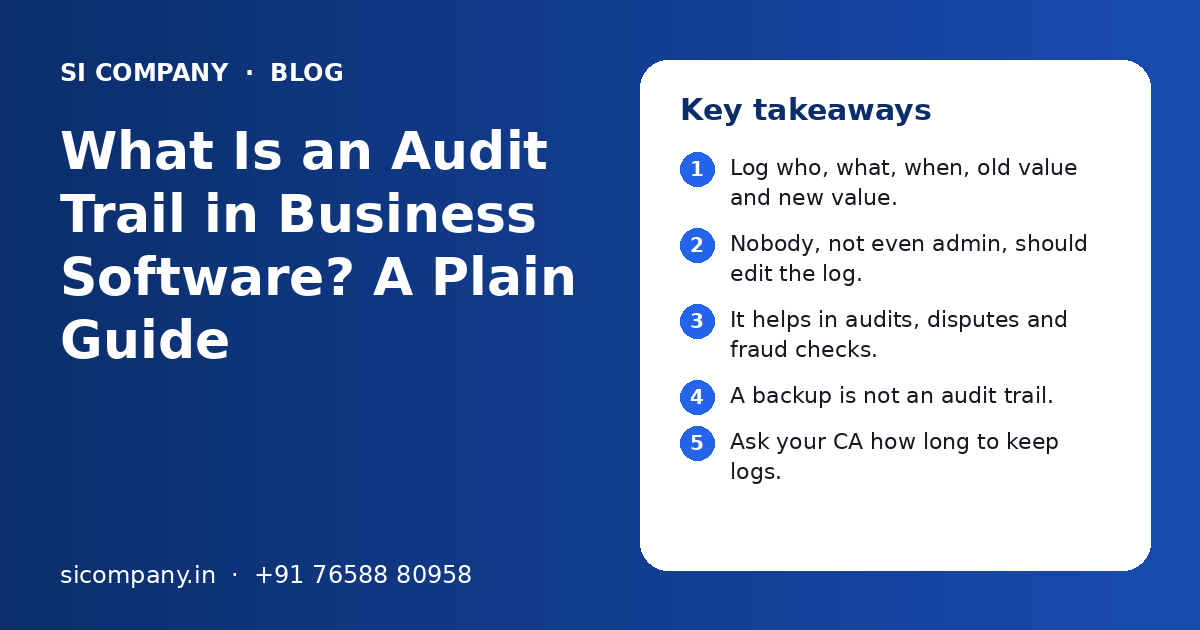
Key takeaways
- Log who, what, when, old value and new value.
- Nobody, not even admin, should edit the log.
- It helps in audits, disputes and fraud checks.
- A backup is not an audit trail.
- Ask your CA how long to keep logs.
- Review risky changes every week.
What is an audit trail in business software?
An audit trail in business software is a history of changes that the system writes on its own, every time someone adds, edits, deletes or approves an important record. Users cannot switch it off or change it.
Think of it as a CCTV camera for your data. It does not block a wrong edit. It makes sure the edit is never hidden.
You will find audit trails in accounting tools, billing software, ERP, CRM and HR systems. Some products call it a change log, edit log or history. The idea is the same.
Our earlier post on role-based access in business software explains how to decide who can do what. This guide is about the next step: keeping a clear record of what people actually did.
What does an audit trail record?
A good audit trail records five things for each change: who did it, what they did, which record they changed, when they did it, and the old and new value.
| Field | What it shows | Example |
|---|---|---|
| Who | The user name or ID of the person | Ravi (billing staff) |
| What action | Add, edit, delete, cancel, approve, export, login | Edit |
| Which record | The exact item, invoice, customer or entry | Invoice INV-2045 |
| When | Date and time, in one fixed time zone | 12 Oct, 4:18 pm IST |
| Old value | What the field held before | Rate: 1,200 |
| New value | What the field holds now | Rate: 1,050 |
The old and new value are the most useful fields. A log that only says 'Ravi edited invoice INV-2045' tells you very little. A log that shows the rate went from 1,200 to 1,050 tells you the full story.
Which actions should be logged?
- Changes to prices, rates, discounts and credit limits.
- Cancel, delete or edit of invoices, receipts and credit notes.
- Stock adjustments, opening stock changes and transfers.
- Changes to customer and supplier details, such as GSTIN, bank account or address.
- Approvals and rejections of purchase orders, discounts and refunds.
- Bulk export or download of customer, price or sales data.
- Login, failed login, user and role changes.
Why does an audit trail matter for a business?
An audit trail matters because it turns 'I don't know what happened' into a clear answer in a few minutes. It helps with mistakes, fraud checks, customer disputes, audits and staff accountability.
Finding honest mistakes
A wrong rate or a wrong quantity can be traced to the exact entry and fixed quickly, without blaming the whole team.
Fraud and misuse checks
Quiet changes to a supplier's bank account, repeated invoice cancels or unusual discounts stand out when every change is recorded.
Customer and vendor disputes
When a customer says 'the rate was different', you can show when the rate changed and who approved it.
CA and GST audits
Your CA can see how a figure was reached and when entries were changed after the fact. This makes reviews smoother.
Staff accountability
People take more care when they know actions are recorded. It also protects honest staff from false blame.
Indian rules for company accounts now expect accounting software to keep an edit log, or audit trail, that cannot be switched off. The exact rules depend on your type of business and can change. Please confirm what applies to you with your CA. The safe approach is simple: choose software that keeps a full change history from day one.
What does a good audit log include?
A good audit log is complete, cannot be changed, is easy to search and is kept for as long as you need it. If any one of these is missing, the log may not help when you need it most.
- It is on by default, and normal users or admins cannot turn it off.
- Nobody can edit or delete log entries, including the owner.
- It stores the old and new value, not just 'record changed'.
- It uses one login per person, so every entry has a real name.
- Time is taken from the server, not from the user's phone or PC.
- You can search by user, date, record or action type.
- You can export the log to Excel or PDF for your CA.
- Deleted records stay visible in the log with their last values.
- Risky actions, like invoice cancel or bulk export, can raise an alert.
- Log data is included in backups and kept for a set period.
For high-risk actions, such as an invoice cancel, ask the user for a short reason. Do not ask on every small edit.
Need help with your project?
Talk to the SI Company team. Free first call, simple advice, clear quote.
Audit trail vs backup vs activity log: what is the difference?
A backup is a copy of your data so you can restore it. An activity log shows general use, like logins and pages opened. An audit trail shows exactly what changed, by whom, with old and new values.
| Point | Audit trail | Backup | Activity log |
|---|---|---|---|
| Main purpose | Show who changed what | Restore lost data | Show how the system is used |
| Records old and new value | Yes | No, only a copy at one point in time | Usually no |
| Helps in a dispute | Yes, very much | Only partly | A little |
| Helps after a crash or ransomware | No | Yes | No |
| Who uses it | Owner, CA, auditor, support team | IT or support team | Owner, IT team |
| Can users change it | Should be no | Should be no | Should be no |
| How often it is written | On every important change | Daily or as scheduled | On logins and screen use |
You need all three. A backup cannot tell you who changed a rate last Tuesday. An audit trail cannot bring back data after a server failure. Our cloud solutions page explains how backups and restore are set up.
How long should you keep audit logs?
Keep audit logs at least as long as you keep the accounting and tax records they relate to. Your CA can tell you the period that applies to your business.
In India, books of accounts and tax records are usually kept for several years, and the audit trail for accounts is generally expected to be kept for the same period. Rules differ for companies, firms and other business types, and they can change. So do not guess. Ask your CA and write the period into your software plan.
Practical tips for keeping logs
- Keep recent logs, such as the current and last year, inside the main system for quick search.
- Move older logs to cheaper archive storage, but keep them searchable on request.
- Never purge logs to make the system faster. Archive them instead.
- If you change software, export the old system's logs before you close it.
The last point is often missed. Plan it as part of your data migration.
How do you use an audit trail in daily work?
Use it in two ways: a short weekly review of risky changes, and a quick search whenever a question comes up. You do not need to read every line.
- 1
List your risky actions
Pick the five to ten actions that can cost money, such as invoice cancel, rate change after billing, stock adjustment, supplier bank change and bulk export.
- 2
Set alerts for the most risky ones
Ask for an email, WhatsApp or in-app alert to the owner when these actions happen.
- 3
Run a weekly review
Spend a few minutes each week on a filtered report of those actions. Ask about anything you do not understand.
- 4
Search when a question comes up
When a customer or staff member raises a doubt, search the log by invoice number, customer or date.
- 5
Share with your CA
Before an audit, export the log for the period and share it along with your reports.
- 6
Act on what you find
If one user makes the same mistake often, train them. If someone has more rights than they need, change their role.
A simple custom dashboard can put these alerts and weekly counts on one screen, so the owner does not have to dig through reports.
What should you check before you buy or build software?
Ask the vendor or developer to show you the audit trail on a live screen, not just say it exists. Then check it against a short list.
- Which actions are logged? Ask for the full list.
- Does it store old and new values for every field, or only some?
- Can anyone, including the admin, turn it off or delete entries?
- Does it log deletes and keep the deleted record's values?
- Can I search and filter by user, date, record and action?
- Can I export the log for my CA in Excel or PDF?
- Are logins, failed logins and exports logged?
- How long are logs kept, and where are old logs stored?
- Are changes made through integrations, such as Tally sync or the website, logged with a clear source?
Ready-made software is fine when
- Its built-in audit trail covers all your risky actions
- You can export the log for your CA
- Your process matches the product's standard steps
Custom software helps when
- You need logs on your own custom fields and approvals
- You want alerts on WhatsApp or a dashboard
- Several systems must share one change history
If you are building new software, add the audit trail to your requirements from the first meeting. Adding it later is possible, but it is more work. Our custom software solutions team plans the audit trail along with user roles and screens.
What mistakes do businesses make with audit trails?
The common mistakes are shared logins, logs that miss old values, turning logs off for speed, and never looking at them. Each is easy to avoid once you know.
- Using one shared login for the whole office, so the log cannot name anyone.
- Logging only 'record edited' without the old and new value.
- Giving the admin the right to delete log entries.
- Turning off the log because the system feels slow, instead of fixing the cause.
- Deleting old logs to save space, then needing them in an audit.
- Never reviewing the log, so problems are found months later.
If your current system has gaps, our software maintenance and support team can review it and suggest fixes. You get a clear quote after a free call.
SI Company is powered by Shivah Web Tech, with 11+ years of work, a 25+ in-house team and 500+ projects. We work from Mohali, Punjab, and serve businesses across India. Contact us to talk about the audit trail in your software.
Frequently Asked Questions
What is an audit trail in simple words?
An audit trail is a history that the software keeps of every important change. It shows who made the change, what they changed, when they did it, and what the value was before and after. Users cannot edit or delete this history. It helps you find out what happened without asking around or guessing.
Is an audit trail required for accounting software in India?
Indian rules now expect many businesses, especially companies, to use accounting software that keeps an edit log or audit trail that cannot be switched off. The exact rules depend on your business type and can change over time. Your CA is the right person to confirm what applies to you. Choosing software with a full audit trail is the safe option.
What is the difference between an audit trail and a backup?
A backup is a copy of your data that helps you restore it after a crash, mistake or attack. An audit trail is a record of who changed what and when, with old and new values. A backup cannot tell you who changed a rate. An audit trail cannot bring back lost data. You need both.
Can the admin delete entries from the audit trail?
In good software, no. Nobody should be able to edit or delete audit trail entries, including the owner or admin. If the admin can delete entries, the log can be cleaned after a wrong action, and it loses its value. Ask the vendor to confirm this, and test it yourself during the demo.
Does an audit trail slow down the software?
A well-built audit trail has very little effect on speed for most small and mid-size businesses. If a system becomes slow, the cause is usually poor design or very old logs kept in the main tables. The fix is better indexing or moving old logs to an archive, not switching the audit trail off.
How long should audit logs be kept?
Keep audit logs at least as long as the accounting and tax records they relate to. In India this is usually several years, but the exact period depends on your business type and current rules. Ask your CA for the period that applies to you, and make sure old logs are archived, not deleted.
Can an audit trail be added to software we already use?
Often, yes. In ready-made tools, the feature may exist but not be switched on or set up. In custom software, a developer can usually add an audit trail as an upgrade. The work depends on how many screens and records need to be covered and how the system was built. You get a clear quote after a free call.