Quick answer
What is quotation software and why does a small business need it?
Quotation software for small business is a tool that creates price quotes and estimates from a saved list of items and rates, adds GST correctly, keeps every version, and sends a clean PDF by email or WhatsApp. It also reminds your team to follow up and turns an accepted quote into an order or invoice without typing again.
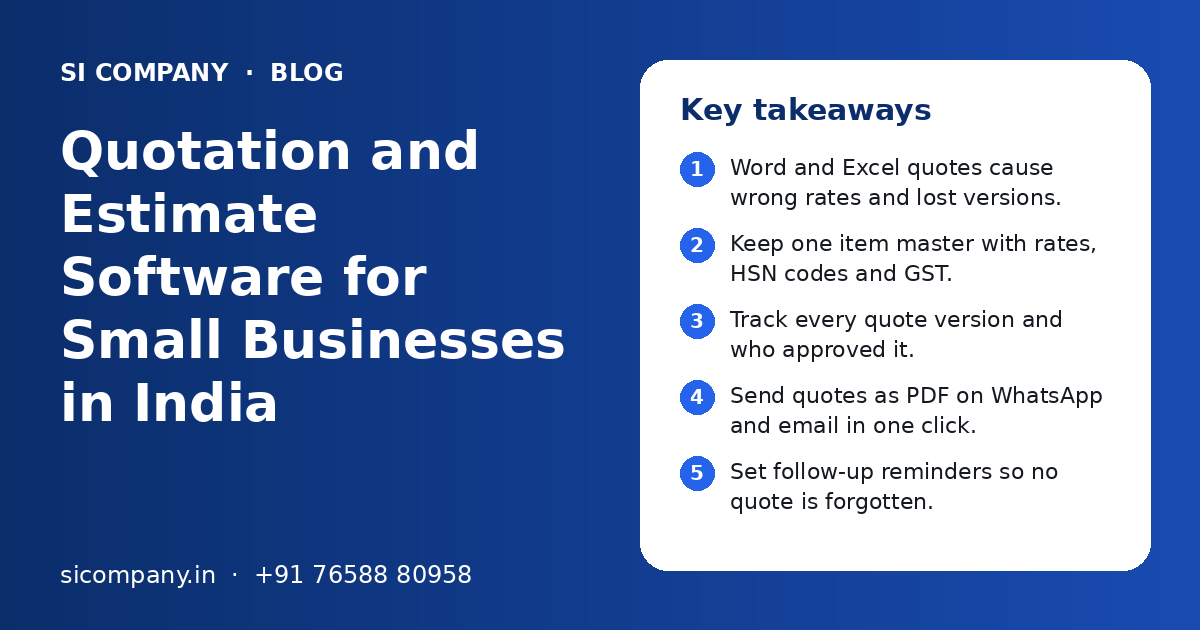
Key takeaways
- Word and Excel quotes cause wrong rates and lost versions.
- Keep one item master with rates, HSN codes and GST.
- Track every quote version and who approved it.
- Send quotes as PDF on WhatsApp and email in one click.
- Set follow-up reminders so no quote is forgotten.
- Turn an accepted quote into an order or invoice.
What is quotation software for small business?
Quotation software for small business is a simple system to make, send and track price quotes. It pulls items and rates from one saved list, so every quote uses the same correct data.
A good quotation tool is more than a pretty template. It keeps a record of every quote, its status and its history. Your sales team can see which quotes are open, which are won and which need a call today.
It can be a small standalone tool. It can also be one part of a larger system, such as a CRM for business or a billing system. Many businesses start with quotes because this is where sales and money first meet.
Why move away from Word and Excel quotes?
Word and Excel quotes depend on people copying old files and changing numbers by hand. This leads to wrong rates, wrong tax and lost versions, and it gets worse as more people make quotes.
Word and Excel are fine for a few quotes a month. The trouble starts when quotes go out every day from more than one person.
Common problems with manual quotes
- Staff copy an old quote and forget to change the customer name or rate.
- GST is added wrongly, or the wrong tax rate is used for an item.
- Nobody knows which file is the latest version sent to the customer.
- Discounts are given without the owner knowing.
- Quotes sit on laptops and WhatsApp chats, not in one place.
- Follow-up calls are missed, so the customer buys from someone else.
- When an order comes, the quote is typed again into the billing system.
Each of these looks small. Together they cost time, margin and orders. If you see several of them, it may be time to move from Excel to business software, starting with quotes.
Which features matter most in quotation software?
The most useful features are an item master, correct GST, version history, approval rules, PDF and WhatsApp sharing, follow-up reminders and one-click conversion to an order or invoice. Fancy design matters less than these basics.
| Feature | What it does | Why it helps |
|---|---|---|
| Item master | Stores products and services with rate, unit, HSN or SAC code and GST rate | Every quote uses the same correct data |
| Customer master | Saves customer name, GSTIN, address and contact person | No retyping and fewer spelling mistakes |
| GST calculation | Applies CGST and SGST or IGST based on the place of supply | Tax is right the first time |
| Versions | Keeps quote revision 1, 2, 3 with dates and changes | You know exactly what the customer saw |
| Approval rules | Sends quotes above a set discount or value to a manager | Owner stays in control of margin |
| PDF and WhatsApp sharing | Creates a branded PDF and shares it by email or WhatsApp | Fast, professional delivery |
| Follow-up reminders | Reminds the salesperson to call on a set date | Fewer forgotten quotes |
| Convert to order or invoice | Turns an accepted quote into a sales order or GST invoice | No double entry |
| Reports | Shows open, won and lost quotes by person, product or month | Clear view of the sales pipeline |
Item master and rates
The item master is the heart of the system. Each item has a name, description, unit, rate, HSN or SAC code and GST rate. You can keep more than one price list, such as dealer rates and retail rates. When a rate changes, you change it once, and new quotes use it.
GST on quotes
A quote is not a tax invoice, but customers expect to see the tax. The software should work out CGST and SGST for the same state and IGST for another state. It should also show your GSTIN and the customer's GSTIN if they have one.
Versions and approval
Customers often ask for changes. The software should save each change as a new version, not overwrite the old one. You can set rules, such as "any discount above a set limit needs owner approval". This protects your margin without slowing down normal quotes.
Sharing, follow-ups and conversion
Most Indian customers like to get quotes on WhatsApp. The tool should create a neat PDF and share it by email or WhatsApp. With WhatsApp and API integration, the quote can even go out from your business number automatically. A reminder then tells the salesperson when to follow up. When the customer says yes, one click turns the quote into an order or invoice.
How does a quote flow from enquiry to invoice?
In a good system, a quote moves through clear stages: enquiry, draft, approval, sent, follow-up, accepted or lost, and then order or invoice. Each stage has an owner and a date.
- 1
Capture the enquiry
Record the customer, their need and where the enquiry came from, such as a call, website form, IndiaMART or WhatsApp.
- 2
Build the quote
Pick items from the item master, set quantity and any discount. GST and totals are calculated for you.
- 3
Get approval if needed
If the discount or value crosses your limit, the quote goes to a manager first.
- 4
Send it
Share the PDF on WhatsApp or email. The system records the date and version sent.
- 5
Follow up
A reminder prompts the salesperson to call. Notes from each call are saved on the quote.
- 6
Revise if asked
Make a new version with the changes. The old version stays on record.
- 7
Close it
Mark the quote won or lost. For lost quotes, note the reason, such as price or delivery time.
- 8
Convert
Turn the won quote into a sales order, delivery note or GST invoice with the same items and rates.
This flow can also link to stock. When a quote is accepted, the system can check or reserve stock in your inventory management software, so you do not promise what you cannot deliver.
Need help with your project?
Talk to the SI Company team. Free first call, simple advice, clear quote.
Ready-made or custom quotation software: which is better?
Ready-made quotation software is better if your quotes are simple and standard. Custom software is better if your quotes need special pricing rules, many product options, or a tight link with your other systems.
Ready-made tool
- Quick to start, often the same week
- Lower cost to begin with
- Good for simple item-and-rate quotes
- Vendor handles updates
Custom software
- Built around your exact pricing and approval rules
- Can handle complex quotes, such as size, material or project-based pricing
- Links with your billing, CRM, stock or ERP the way you need
- Takes more time to plan and build
When custom makes more sense
Manufacturers, fabricators, interior firms, solar installers and project businesses often price by size, weight, material or labour. Their quotes have many lines and options. Here a custom tool that follows your own costing sheet saves a lot of time. It can also be part of a wider custom software solution for your business.
How does quotation software connect with billing, CRM and stock?
Quotation software works best when it shares data with your billing, CRM and stock systems. Then a customer, item or rate is entered once and used everywhere.
| Connected system | What is shared | Benefit |
|---|---|---|
| CRM | Leads, contacts, quote status and follow-ups | Sales team sees the full history of each customer |
| Billing and accounts | Items, rates, GST and accepted quotes | Invoices are made from quotes without retyping |
| Inventory | Stock levels and reserved quantities | No promises on items that are out of stock |
| Accounting software such as Tally | Invoices and customer ledgers | Accounts stay in sync with sales |
If you already use a billing tool, a quote module can often be added to it. Our billing software development work covers quotes, proforma invoices and GST invoices in one flow. For a bigger setup, quotes can sit inside your ERP for small business.
What affects the cost of quotation software?
The cost depends on how complex your pricing is, how many users and approval levels you need, and how many other systems it must connect with. We do not publish fixed prices; you get a clear quote after a free call.
- Number of users and roles, such as sales, manager and owner
- How complex your pricing is: simple rate list, or size and material based costing
- Number of price lists, currencies and quote templates
- Approval levels and discount rules
- WhatsApp, email and SMS integration
- Links with billing, CRM, stock, Tally or ERP
- Mobile app or mobile-friendly web access for field sales
- Data import from old Excel sheets and item lists
- Training, hosting and ongoing support
What mistakes should you avoid when choosing quotation software?
The biggest mistakes are choosing on looks alone, skipping the item master clean-up and not involving the sales team. A tool that your team does not use will not fix anything.
- Do not import a messy item list. Clean names, units, rates and GST first.
- Do not pick a tool that cannot handle your real quote format.
- Do not skip approval rules if many people give discounts.
- Do not forget mobile access for staff who quote from site visits.
- Do not leave out a link to billing, or staff will type everything twice.
- Do not launch without a short training for each user.
- Do not ignore who can see rates and margins. Use role-based access to control it.
Start with a test. Ask your team to make ten real quotes in the new tool. Check the totals, tax and PDF before you switch fully.
How can SI Company help with quotation software?
SI Company can review your current quote process, suggest whether a ready-made tool or custom software fits, and build or connect the system. We are powered by Shivah Web Tech, with 11+ years of experience and a 25+ person in-house team.
We start by looking at a few of your real quotes and how they move from enquiry to invoice. Then we suggest a plan that fits your size. For many clients, this is part of wider business automation or workflow automation work.
- Free call to understand your quotes and pricing
- Clear scope and a written quote
- Item master and customer data cleaned and imported
- GST, versions, approvals and WhatsApp sharing set up
- Links with billing, CRM, stock or Tally where needed
- Training and support after go-live
Our office hours are Monday to Friday, 9:30 to 6:30 IST, with 24x7 emergency support for urgent issues. Contact us to book a free call.
Frequently Asked Questions
What is the difference between a quotation and an invoice?
A quotation is an offer. It tells the customer what you will supply and at what price before they agree. An invoice is a bill raised after the sale or supply, and a GST tax invoice has legal rules for its format. Quotation software lets you turn an accepted quote into an invoice, so the same items and rates move across without typing them again.
Can I send quotations on WhatsApp from the software?
Yes. Most quotation software can create a PDF and open WhatsApp so you can share it with the customer. With WhatsApp Business API integration, the quote can be sent from your business number automatically, and the send is logged on the quote record. This is useful when your customers prefer WhatsApp over email, which is common in India.
Does quotation software calculate GST correctly?
Good quotation software calculates GST from the rate saved on each item. It applies CGST and SGST when the customer is in the same state, and IGST when they are in another state. You still need to set the correct HSN or SAC code and GST rate for each item. Ask your accountant to check the item list once before you go live.
Is quotation software worth it for a very small business?
If you send only a few quotes a month, a good Excel template may be enough. Quotation software becomes worth it when you send quotes often, when more than one person makes them, or when you lose orders because follow-ups are missed. Even a simple ready-made tool can save time and reduce mistakes in rates and tax.
Can I keep different rates for dealers and retail customers?
Yes. Most quotation tools support more than one price list, such as dealer, distributor and retail rates. When you pick the customer, the right price list loads by itself. Custom software can go further, with rates by region, quantity slab or contract. This keeps rates consistent and stops staff from guessing which price to use.
How long does it take to set up quotation software?
A ready-made tool can often be set up within days if your item list is clean. Custom quotation software takes longer because it is planned around your pricing and approval rules, and it may need links with billing or stock. The exact time depends on scope. You get a clear plan and quote after a free call.
Can quotation software work for project-based businesses?
Yes. Interior firms, fabricators, solar installers and contractors often quote by area, size, material and labour. Custom quotation software can follow your own costing sheet, add sections such as material, labour and transport, and show a clean summary to the customer while keeping internal margins hidden. This is a common reason businesses choose custom software over a ready-made tool.