Quick answer
What software does an NGO or charitable trust in India need?
Software for NGOs and trusts should keep donors, donations, receipts, volunteers, projects, grants and beneficiary records in one secure system. It sends receipts and thank-you messages, tracks how each fund is used and builds reports for trustees, donors and your CA. A small NGO can start with donors and receipts, then add projects and volunteers.
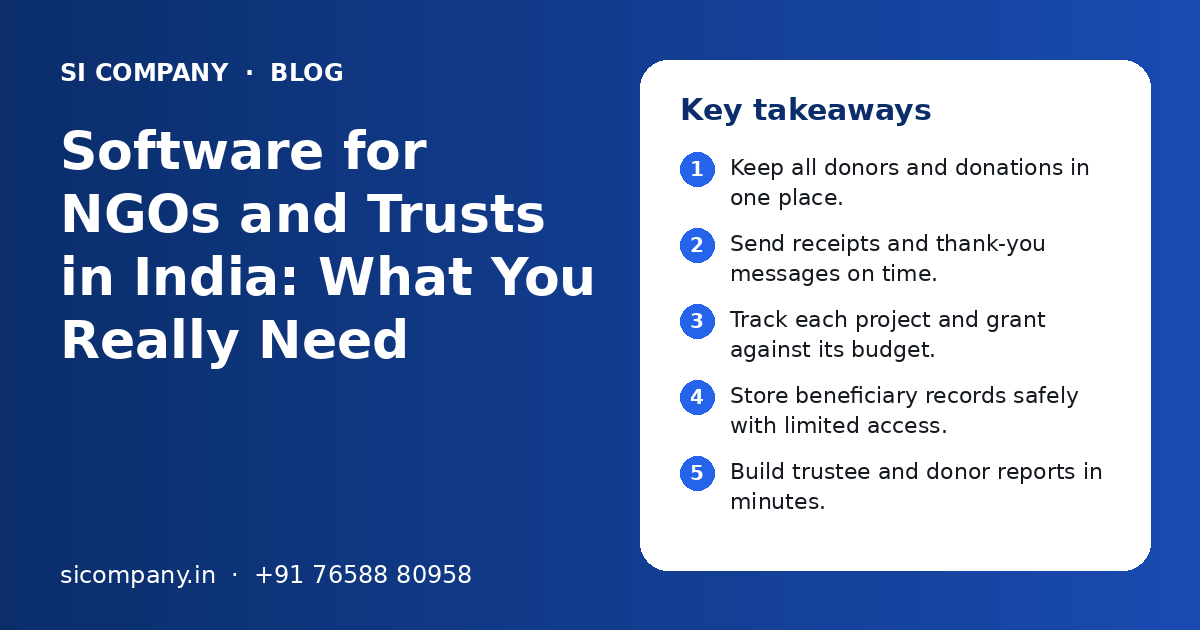
Key takeaways
- Keep all donors and donations in one place.
- Send receipts and thank-you messages on time.
- Track each project and grant against its budget.
- Store beneficiary records safely with limited access.
- Build trustee and donor reports in minutes.
- Ask your CA what records and receipts you need.
What software do NGOs and trusts need?
Software for NGOs and trusts usually needs six parts: donor management, donation receipts, volunteer management, project and grant tracking, beneficiary records, and reports. These can sit in one system or in a few connected tools.
An NGO is not a shop. It does not sell a product. But it still has "customers" in a way. Donors give money. Volunteers give time. Beneficiaries receive help. Trustees and funders want to see where the money went. Good software keeps all four groups clear and connected.
| Part | What it does | Problem it solves |
|---|---|---|
| Donor management | One record per donor with contact details, gifts and history | Donor details spread across sheets and phones |
| Donation receipts | Creates numbered receipts and sends them by email or WhatsApp | Late, missing or handwritten receipts |
| Volunteer management | Sign-ups, skills, shifts and attendance | Volunteers forgotten or double-booked |
| Project and grant tracking | Budget, spending, activities and progress for each project | No clear view of how a grant was used |
| Beneficiary records | Details of people helped and the support they received | Paper files that are hard to search or protect |
| Reports and dashboard | Trustee, donor and audit-ready reports | Days spent making reports by hand |
How does donor management software help an NGO?
Donor management software gives you one list of every donor, with what they gave, when, for which cause, and how you thanked them. It turns one-time donors into regular supporters.
In many NGOs, the donor list sits in the founder's phone or in one staff member's Excel file. When that person is busy or leaves, the history is lost. A donor system keeps this knowledge with the organisation.
Useful donor features
- Donor profile with name, PAN (if they share it), phone, email and address
- Full giving history across cash, cheque, bank transfer, UPI and online payment
- Tags such as individual, company CSR, regular, one-time or event donor
- Pledges and monthly giving with reminders
- Birthday and anniversary greetings on WhatsApp or email
- Campaign tracking, so you know which appeal brought which gifts
A donor system works much like a sales CRM, with different labels. Our CRM solutions team can set up a ready-made CRM for donors or build one around your process.
How should an NGO handle donation receipts?
Receipts should be created by the system, not by hand. Each donation gets a unique serial number, the right details and a quick send by email or WhatsApp, with a copy saved for your records.
Handwritten receipt books cause many problems. Numbers are skipped. Copies are lost. Donor names are spelt wrongly. At year end, the accounts team has to match books, bank statements and Excel sheets by hand.
- 1
Record the donation
Staff enter the gift, or it comes in on its own from your online donation page or UPI link.
- 2
Match with the bank
The donation is linked to the bank entry, so every receipt matches real money received.
- 3
Create the receipt
The system makes a numbered receipt with the details your CA has asked for.
- 4
Send it to the donor
The receipt goes out by email or WhatsApp, with a short thank-you note.
- 5
Keep a copy
A copy is stored against the donor record and cannot be quietly changed later.
- 6
Share year-end data
Your CA gets a clean export of all donations and receipts for filings.
Cancelled receipts should be marked as cancelled, not deleted. This keeps the serial numbers complete. Our post on audit trail in business software explains why this matters for any organisation that is audited.
How can software help manage volunteers?
Volunteer software lets people sign up online, records their skills and free time, assigns them to events or shifts and keeps track of hours. It replaces long WhatsApp threads and phone calls.
Volunteers are the backbone of many Indian NGOs. When this is managed on chat groups, it is hard to know who confirmed, who came and who needs a thank-you.
- Online sign-up form in English and your local language
- Skills, location and available days for each volunteer
- Event and shift calendar with open slots
- Automatic reminders on WhatsApp a day before the event
- Attendance and hours log, marked on a phone at the site
- Thank-you letters created from the record
Field teams and volunteers mostly use phones. A simple mobile app or mobile-friendly web screen helps them mark attendance and update work from the ground, even in places with weak internet.
How do you track projects, grants and beneficiaries?
Track each project with its own budget, funder, activities, spending and results. Link beneficiaries to the projects that helped them. This way you can show any donor exactly what their money did.
Many NGOs run several projects at once. One may be funded by a company's CSR budget, another by a foundation grant and a third by small public donations. Each funder may want its own report. If all spending sits in one sheet, separating it later is slow and error-prone.
What project tracking should cover
| Item | What to record | Why it helps |
|---|---|---|
| Budget | Approved amount by head, such as staff, material and travel | Shows spending against plan |
| Expenses | Bills and payments tagged to the project | Clear use-of-funds reports |
| Activities | Camps, classes, distributions and visits with dates | Proof of work done |
| Outcomes | Simple numbers you choose, such as children taught or meals served | Impact reports for donors |
| Photos and documents | Geo-tagged photos, attendance sheets, bills | Evidence for funder reviews |
Beneficiary records need extra care
Beneficiary data often includes names, ages, addresses, health or family details and ID numbers. This is sensitive personal data. Only the people who need it should see it. Use role-based access so a field volunteer sees only their own area, and trustees see summary numbers, not personal details.
India's Digital Personal Data Protection Act, 2023 makes careful handling of personal data more important for every organisation, including non-profits. Ask your own advisers what it means for you.
Need help with your project?
Talk to the SI Company team. Free first call, simple advice, clear quote.
What reports do trustees, donors and the CA need?
Trustees need a short monthly view of money in, money out and project progress. Donors and funders need use-of-funds and impact reports. Your CA needs clean donation, receipt and expense records for accounts and filings.
| Who | Report | How often |
|---|---|---|
| Trustees or board | Funds received, spent and balance, by project and by source | Monthly or quarterly |
| CSR and grant funders | Budget vs actual, activities and outcomes for their project | As per the grant terms |
| Individual donors | Thank-you note, receipt and a short update on the cause | After each gift and yearly |
| CA and auditor | Donation register, receipt list, expense ledger and bank match | Monthly and at year end |
| Programme team | Pending activities, field updates and volunteer hours | Weekly |
A live custom dashboard can show trustees these numbers any time, without waiting for staff to make a new Excel file. Many NGOs keep their main books in Tally or another accounting tool. The donor and project system can send data to it through API integration, so entries are not typed twice.
If you receive funds from abroad, keep them clearly separate in your records, as the rules for such funds are strict. Your CA will guide you on what is needed.
Ready-made NGO software vs custom software: which is better?
Ready-made software suits small NGOs with simple needs that can follow its standard process. Custom software suits organisations with many projects, special reports, local languages or a need to connect several tools.
Ready-made NGO or CRM software
- Quick to start
- Lower upfront effort
- Vendor handles updates
- Fine for basic donor lists and receipts
Custom software
- Built around your projects, funders and reports
- Receipt format and workflows exactly as your CA wants
- Local language screens for field staff
- Takes more time to plan and build
Some ready-made tools are built for other countries and do not fit Indian receipts, UPI payments or local reports well. Test them with your real data before you decide. There is also a middle path: keep a ready-made tool and add a custom portal or dashboard on top.
If you are thinking about a custom build, our custom software solutions page explains how we plan and build. Our software requirements checklist helps you list what you need first.
How to set up software in an NGO, step by step
Set up software in small phases. Start with donors and receipts, train staff and volunteers, then add projects, volunteers and dashboards once the basics work well.
- List your donors, projects, funders and the reports you make today.
- Meet your CA and agree on the receipt format and the records they need.
- Clean old Excel sheets and remove duplicate donors before you import.
- Start with donor records, donations and receipts.
- Run the old method and the new system side by side for one month.
- Add projects, grants and expense tagging.
- Add volunteer sign-up and field updates on phones.
- Build a trustee dashboard and funder report templates.
Moving years of old records is often the hardest part. Our data migration services help move Excel files and old software data safely. Repetitive steps like thank-you messages and monthly reminders can run on their own with workflow automation.
What mistakes should NGOs avoid with software?
The most common mistakes are choosing a tool without testing it, skipping the CA's input on receipts, and giving everyone full access to donor and beneficiary data.
- Picking free software that cannot export your data later
- Not asking the CA about receipts and records before go-live
- Deleting wrong receipts instead of cancelling them
- Mixing funds from different projects in one bucket
- Letting volunteers see full donor or beneficiary details
- Not training the person who will use the system every day
Store data on secure cloud servers with daily backups, not on a single laptop. Our cloud solutions team can set this up. A shared email and drive through Google Workspace setup is also a good first step for small teams.
What affects the cost of software for an NGO or trust?
Cost depends on the number of users, the modules you need, ready-made versus custom, local language needs and the tools that must connect. We do not share fixed prices here. You get a clear quote after a free call.
- Number of staff, volunteers and trustees who log in
- Modules needed: donors, receipts, volunteers, projects, beneficiaries, reports
- Online donation page, UPI and payment gateway links
- WhatsApp and email messages for receipts and updates
- Link with Tally or other accounting software
- Amount of old data to clean and move
- Hosting, backups and ongoing support
SI Company is powered by Shivah Web Tech, with 11+ years of experience, a 25+ member in-house team and 500+ projects. We support clients Monday to Friday, 9:30 to 6:30 IST, with 24x7 help for urgent issues. Contact us to talk about your NGO's needs.
Frequently Asked Questions
Is software worth it for a small NGO or trust?
Yes, in most cases. Even a small trust deals with donors, receipts and reports every month. Simple software saves time, reduces errors and keeps records safe when staff or volunteers change. A small organisation does not need a large system. A donor list, receipt module and basic reports are a good start, with more added later.
Can the software send donation receipts on WhatsApp?
Yes. The system can create a numbered receipt and send it to the donor through the WhatsApp Business API or by email right after the donation is recorded. A copy stays with the donor record. Many donors in India prefer WhatsApp, so this helps them get receipts quickly without waiting for a printed copy.
Can donors give through UPI and online payment?
Yes. You can add a donation page with UPI and a payment gateway on your website. Each online gift can be saved in the donor record and matched with a receipt on its own. This removes manual entry and reduces mistakes. Your CA can tell you what donor details you must collect at the time of payment.
Does NGO software handle 80G or other tax receipts?
The software can create receipts in the format your organisation needs and keep the records required for tax filings. The exact details depend on your registration and current rules. We build the format based on what your CA asks for. Always confirm the receipt format and reporting needs with your CA before you start using it.
Should an NGO choose ready-made or custom software?
Choose ready-made software if your needs are simple and the tool fits Indian receipts and payments. Choose custom software if you run many projects, have several funders with different reports, need local language screens or want to connect your accounts. Some NGOs keep a ready-made tool and add a custom dashboard or portal later.
How do we keep beneficiary data safe?
Give access only to people who need it, using role-based access. Turn on two-step login for every user. Keep data on secure cloud servers with daily backups. Remove access the same day a staff member or volunteer leaves. Show trustees and funders summary numbers instead of personal details whenever you can.